Useful Info
- Select your current solution in Solution Explorer
- Open context menu (right mouse button click) -> Add -> Existing Project...
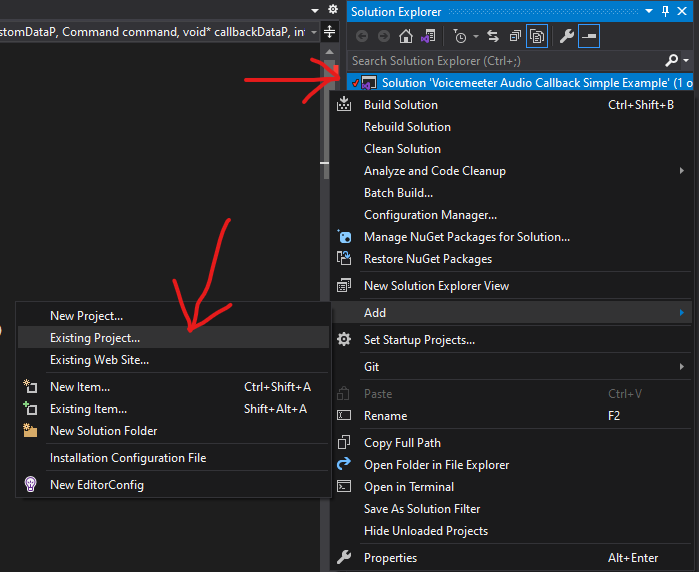
- Select Shared Project's *.shproj file

- In menu bar open Project -> Add Shared Project reference... or in Solution Explorer open context menu of Dependencies

- Tick checkbox to the left of the name
