An Electric Imp-powered automated window blind controller, connected to Google Calendar and Weather Underground.
This project simply opens the blinds in my dorm room according to a morning "wake up" schedule programmed in Google Calendar, and closes the blinds according to the sunset time posted in the astronomy data from the Weather Underground API. Of course, I have also bookmarked the URL calls to opening, closing, and trimming the blinds on my cellphone and laptop, so that overriding the automated control schedule is always a button press away.
Video in action:
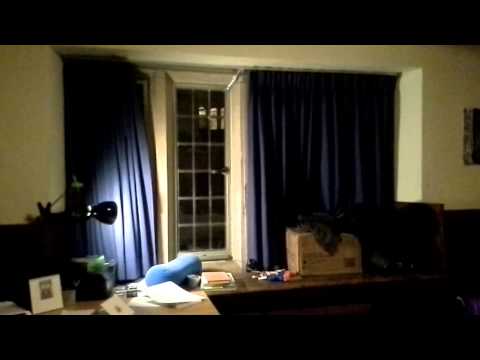
With the latest update, automated curtain opening at Calendar command and closing at sunset have been stable at a sample size of three days.
The easiest way to expose one's morning schedule to the Imp agent server is to create a public Google Calendar and generate a corresponding API Key through the Google Developer Console.


Once you have created the public calendar, you will need to find the Calendar ID. You can find this via the following procedure:


With the Calendar ID in your clipboard, paste it into the CALENDAR_ID field of windowcontroller.agent.nut.
After navigating to https://console.developers.google.com/project, click on "Create Project." After agreeing to the terms of service, you will be taken to the project's dashboard. In the left sidebar, click on "APIs & auth."--> "APIs." Scroll or ctrl-f for "Calendar API, and click on the button that says "OFF" to its right in order to enable it.

Then, in the left sidebar, click on Credentials, followed by "Create new Key" at the bottom of the page under "Public API access." Select "Server key", and in the text field that follows enter the string 0.0.0.0/0. Click Create. Finally, copy the API Key and paste it into the GOOGLE_KEY field at the top of windowcontroller.agent.nut.
Google Calendar provides us with the wake-up times at which to open the blinds -- we then use Weather Underground to find the sunset time for our local area. To create a free Weather Underground API key, head to http://www.wunderground.com/weather/api/ and follow instructions for making a minimum bells-and-whistles account.
After pasting your Weather Underground API key into the WUNDERGROUND_KEY at the head of windowcontroller.agent.nut, fill the ZIP_CODE field as well. You can actually use other information besides zip code to identify your location. To borrow from the Electric Imp Weather Underground class documentation, you can use any of the following input formats:
- Country/City: "Australia/Sydney"
- US State/City: "CA/Los_Altos"
- Lat,Lon: "37.776289,-122.395234"
- Zipcode: "94022"
- Airport code: "SFO"
The circuit below is an H bridge circuit for driving a 12v motor in forward or reverse, depending on the logic input on the two NPN base inputs from the Electric Imp. Driving both NPN inputs to the same voltage level will cause the motor to stop, and applying a logic "on" to one and "off" to the other will energize the motor in one direction or another.


Inspiration for H Bridge design: http://letsmakerobots.com/content/motor-driver-idea
The motor is a scrap window motor with a custom 3d-printed winch press-fit onto its output shaft.
Winch design:


CAD files for winch: https://grabcad.com/library/splined-reel-for-winching-a-string-via-a-worm-gear-window-motor-system-1
The rigging is designed to take complete advantage of features that were already present in the manually-controlled window blind system. From the winch, the string rises, passes through a (duct-taped in place) loop that apparently used to hold a curtain-pushing stick, knots around the first loop of the near edge of the moving curtain, passes through the last loop of the curtain (which is static), and terminates at a water bottle counterweight.
