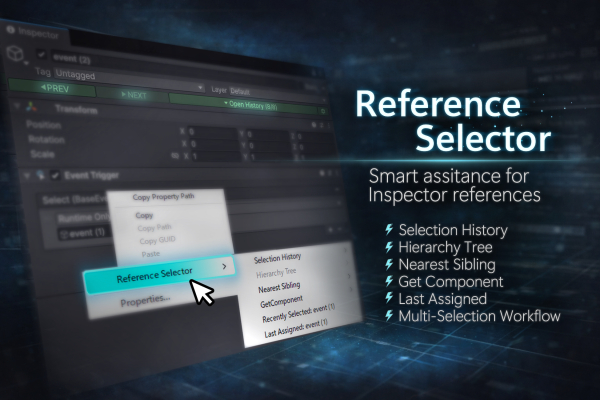
This asset was created to reduce drag-and-drop actions when assigning reference fields in the Unity Editor.
It provides the following two main features.
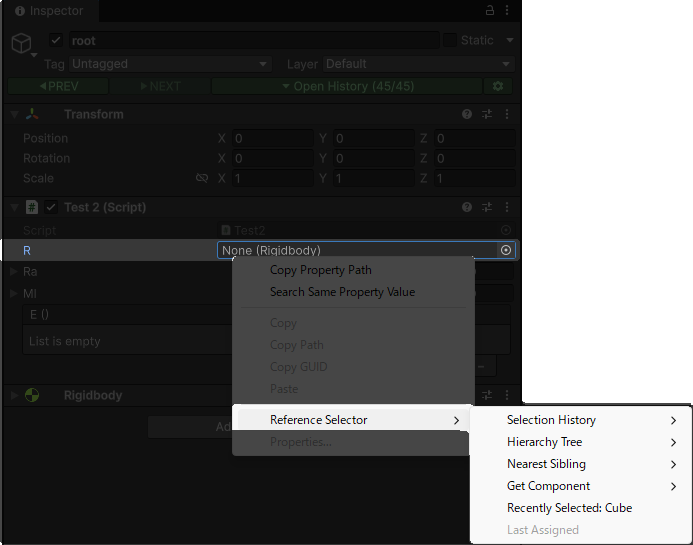
You can open a context menu on almost any reference field and quickly assign reference objects from the selection history.
The context menu includes the following options:
Selection History: Assign any object from the selection historyHierarchy Tree: Assign objects from parent-child relationshipsNearest Sibling: Assign objects from previous or next siblings at the same hierarchy levelGet Component: Assign references by executing GetComponent-related methodsRecently Selected: Assign recently selected objects that match the target typeLast Assigned: Assign the last object set using this asset
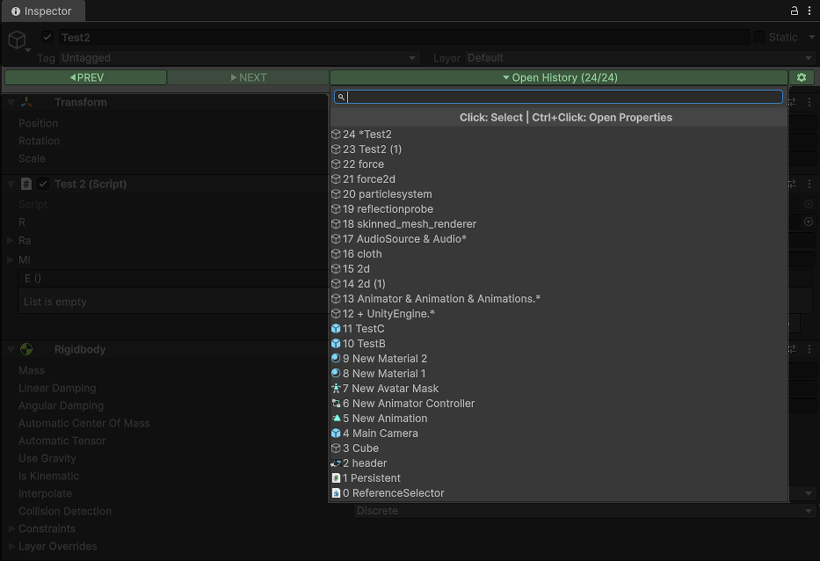
The history of selected objects is stored, and an access button is displayed at the top of the Inspector.
You can quickly access objects in the history using a dropdown list or shortcut keys.
Additionally, you can open the Inspector window for a selected object by Ctrl+clicking it.
Shift + Mouse Wheel Down: Select the previous object in the selection history.Shift + Mouse Wheel Up: Select the next object in the selection history.
(Shortcut keys can be customized from the Edit/Shortcuts window.)
- Full Undo support.
- Supports Domain Reload (safe to use during script recompilation).
- Supported Unity version: Unity 6 or later.
- Compatible with Odin Inspector.
- Bug reports can be submitted here: https://github.com/emptybraces/Unity-ReferenceSelector-OnlineManual/issues