flutter_convenient_test: Write and debug tests easily, built on integration_test



full_video.mov
Though used in production environment in my own 200kloc Flutter app, this package - especially the doc - is surely not yet perfect. Just create an issue and I usually reply quite quickly.
See what actions are taken in the tests (in the left panel)
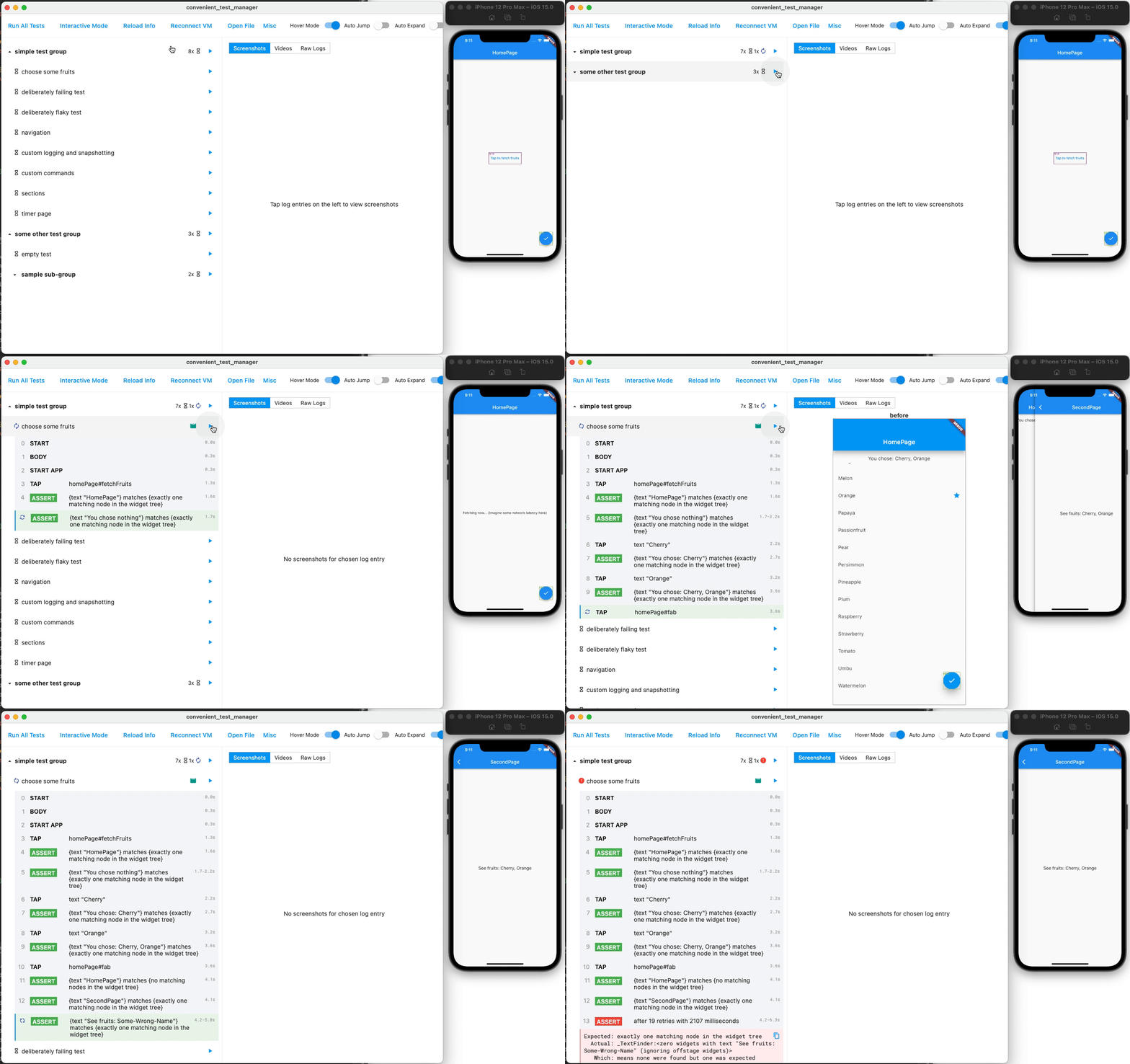
Tap an action to see its screenshots
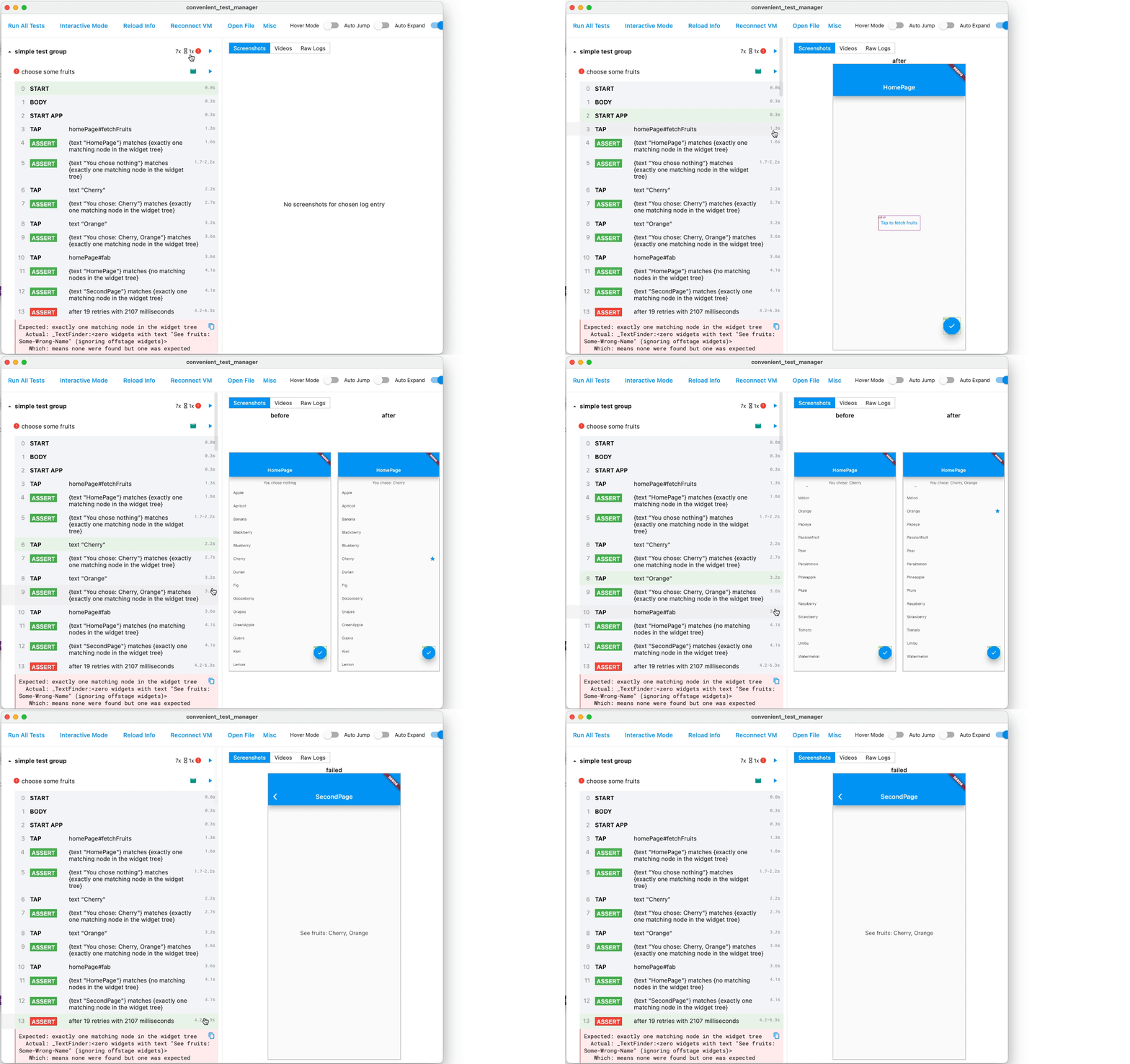
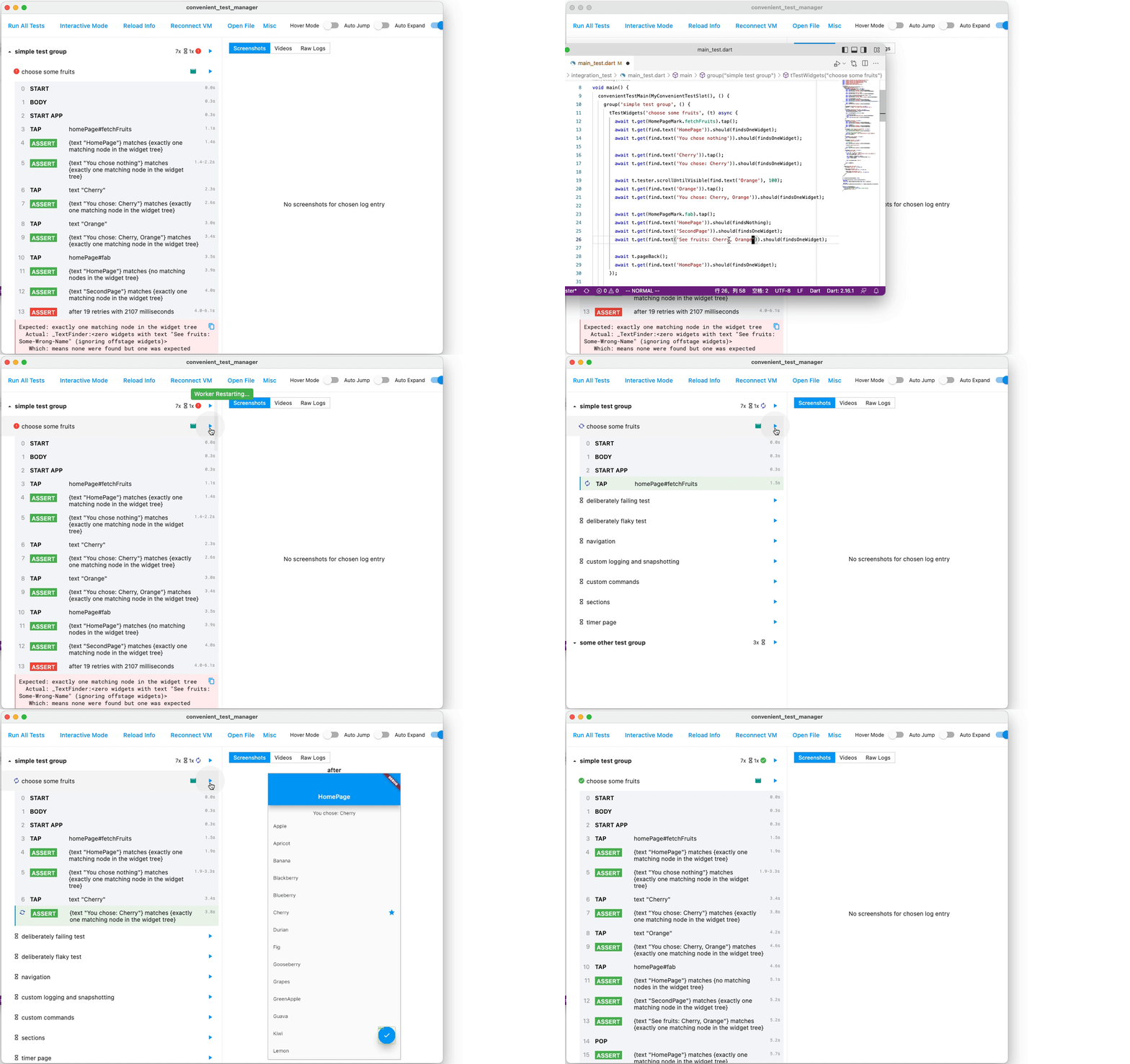
Edit code, save, run - within seconds
Watch what has happened in full detail (in right panel)
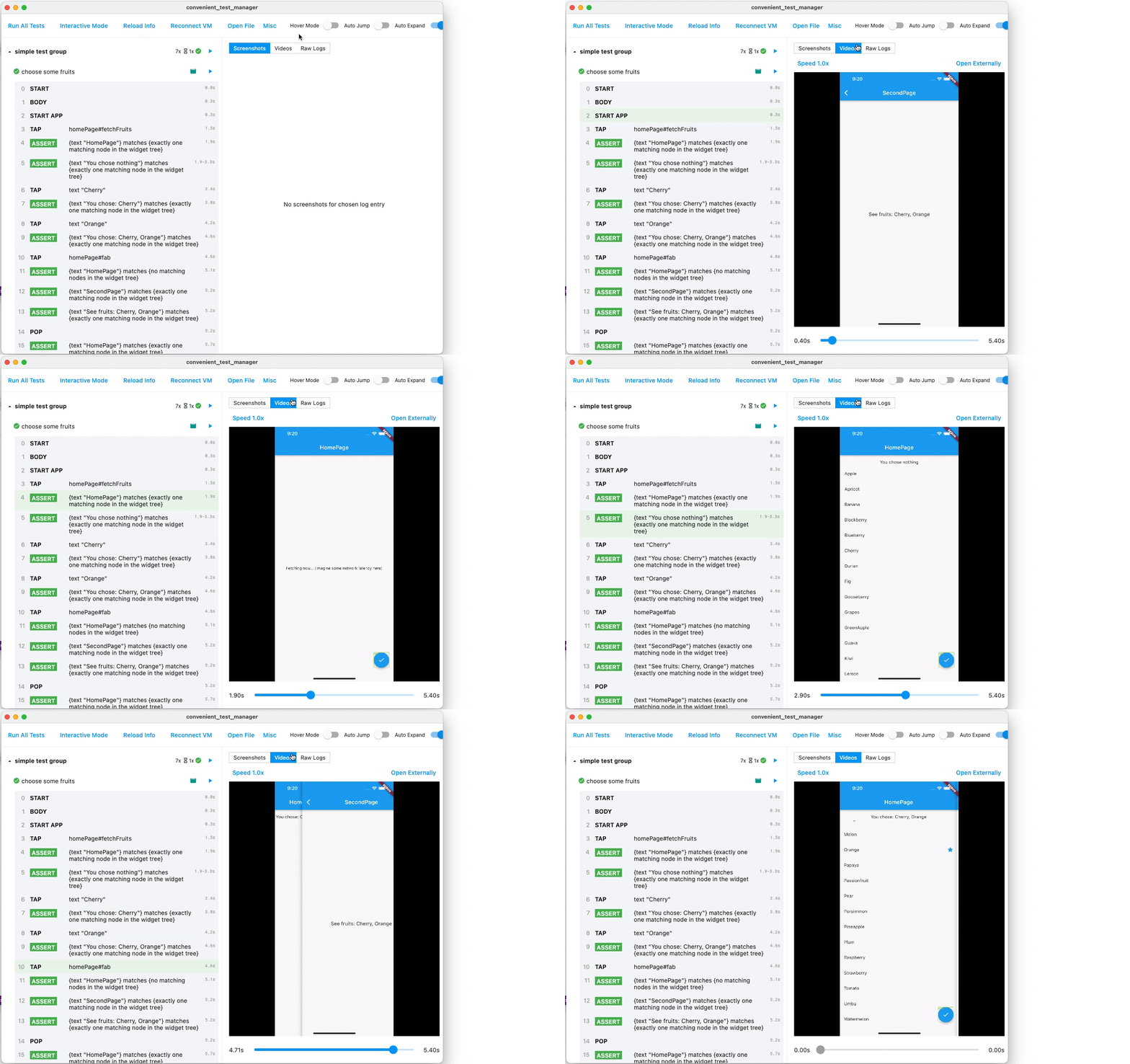
P.S. Highlighted action is in sync with the playing video. Tap action to seek video.
Temporarily play with the app, interactively. (Flutter originally cannot interact with app in test mode)
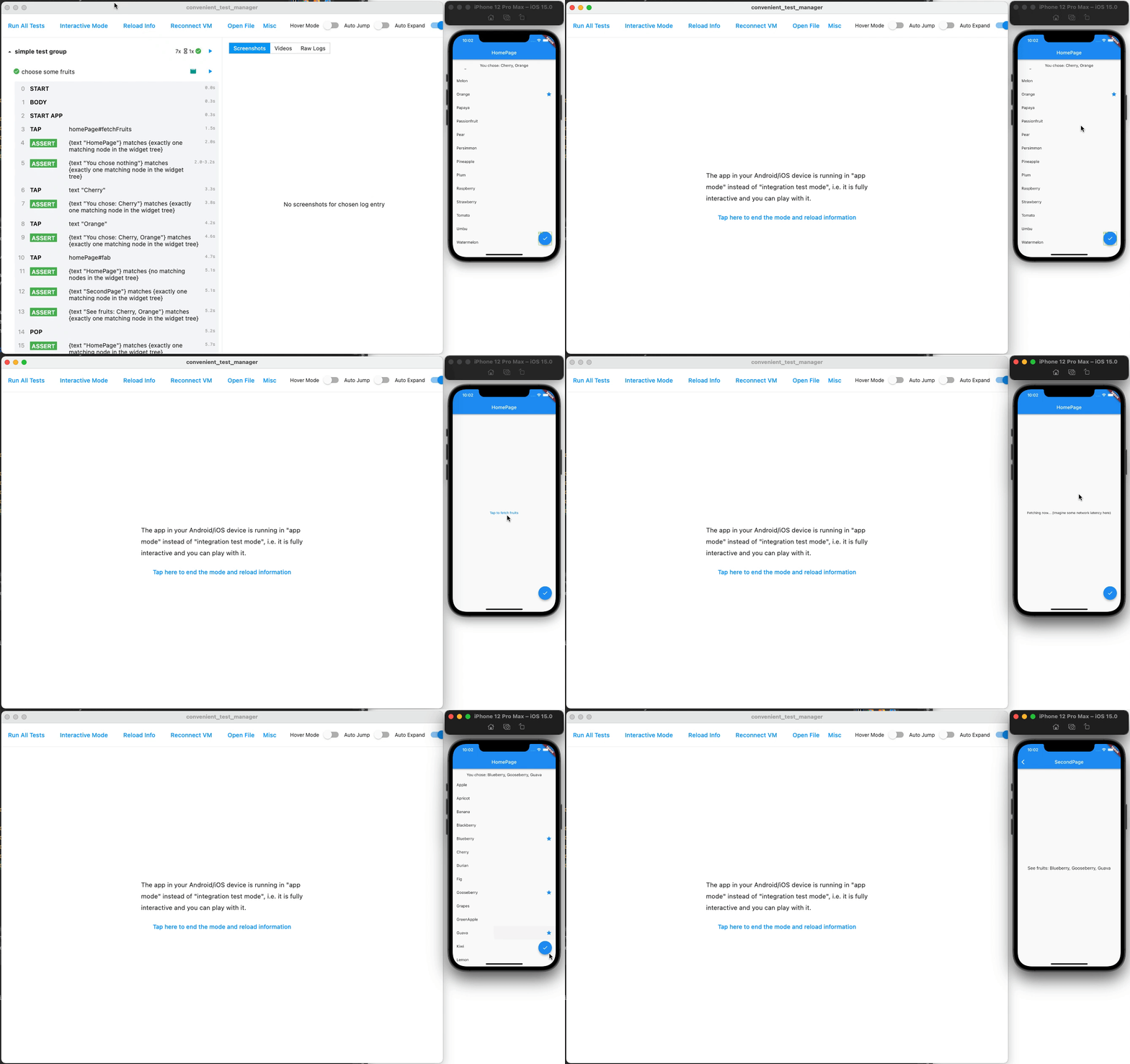
You can still use everything from integration_test, mockito, test, etc. This package is not a reinvented wheel, and has exposed the underlying integration_test to you.
If you want to migrate to this package from raw integration_test, have a look at Getting Started section below.
Flaky is flaky, and we are aware of it. It is neither failed nor success, so you will not be alarmed by false positives, and not completely ignore it.
- No manual
pump - No manual wait and retry
await t.get(find.byTooltip('Fetch Data From Backend')).tap();
// OK even if "fetch data" needs undeterministic time interval. Will automatically pump, wait and retry.
await t.get(find.text('New Data')).should(findsOneWidget);
More in quickstart and tutorials below.
Useful when replaying videos and screenshots
Marks have colored borders- Gestures have visual feedbacks
This tool can be run without GUI and only produce log data, making it suitable to be run in a CI. Just run flutter run integration_test/main_test.dart --dart-define CONVENIENT_TEST_CI_MODE=true.
If you want to examine the details with GUI, just open the generated artifact in the GUI using Open File button.
Tap "Run" icon button after each test or group to re-run only that test/group, without running anything else.
Tap "Raw Logs" in the right panel to see raw outputs of a test.
- Clone this repository and enter the
packages/convenient_test/examplefolder. - Run the example app (e.g. using iOS simulator) via
flutter run /path/to/flutter_convenient_test/packages/convenient_test/example/integration_test/main_test.dart --host-vmservice-port 9753 --disable-service-auth-codes --dart-define CONVENIENT_TEST_APP_CODE_DIR=/path/to/this/app. Can also be run via VSCode or Android Studio with similar commands. - Run the GUI located in
packages/convenient_test_manager. It is nothing but a normal Flutter Windows/MacOS/Linux app, so run it follow Flutter official doc. Or run viaflutter profilemode to speed up. Or executecd macos && fastlane buildand use the generated (release-version) application. - Enjoy the GUI!
- In
pubspec.yaml, addconvenient_test: ^1.0.0to thedependenciessection, andconvenient_test_dev: ^1.0.0to thedev_dependenciessection. As normal, we need toflutter pub get. - Create
integration_test/main_test.dartfile in your app. Fill it likevoid main() => convenientTestMain(MyConvenientTestSlot(), () { ... the normal test code you write });. See the example package for demonstration. - Run your app (e.g. using iOS simulator) via
flutter run /path/to/your/app/integration_test/main_test.dart --host-vmservice-port 9753 --disable-service-auth-codes --dart-define CONVENIENT_TEST_APP_CODE_DIR=/path/to/this/app. Can also be run via VSCode or Android Studio with similar commands. - Run the GUI located in
packages/convenient_test_manager. It is nothing but a normal Flutter Windows/MacOS/Linux app, so run it follow Flutter official doc. Or run viaflutter profilemode to speed up. Or executecd macos && fastlane buildand use the generated (release-version) application. - Enjoy the GUI!
Thanks for testing frameworks in JavaScript, especially Cypress, for giving inspirations!