Adding ScreenshotMCP #2351
Closed
Adding ScreenshotMCP #2351
Conversation
This file contains hidden or bidirectional Unicode text that may be interpreted or compiled differently than what appears below. To review, open the file in an editor that reveals hidden Unicode characters.
Learn more about bidirectional Unicode characters


A Model Context Protocol MCP server for capturing website screenshots with full page, element, and device size features. 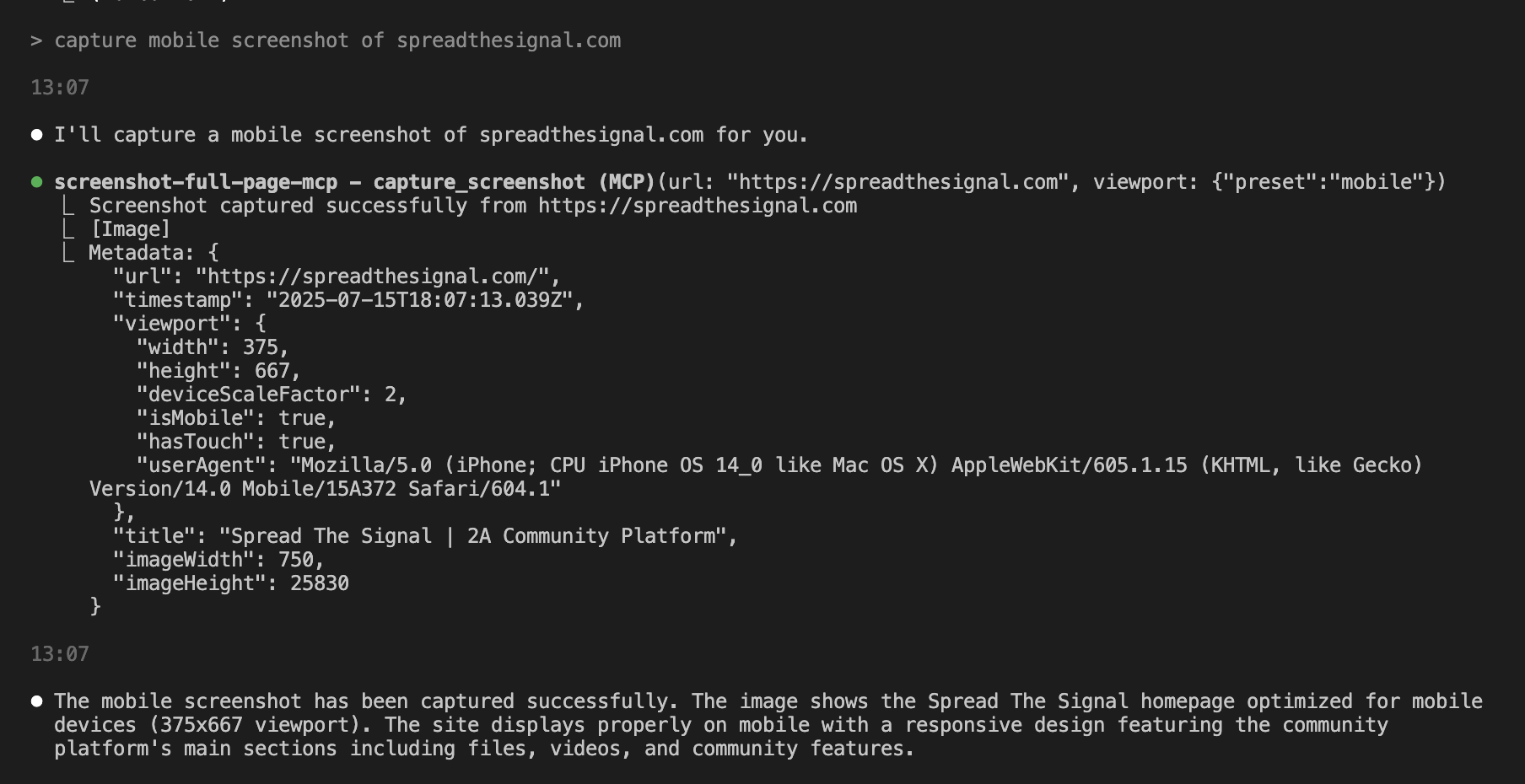 ## Features - **Full-page screenshot capture** with automatic scrolling - **Element-specific screenshots** using CSS selectors - **Multiple device presets** (mobile, tablet, desktop) - **Custom viewport configurations** - **Advanced wait conditions** (CSS selectors, network idle, custom delays) - **Error handling and validation** for secure operation - **Rate limiting** to prevent resource exhaustion ## Installation 1. Clone or download this project 2. Move to the directory: `cd /path/to/ScreenshotMCP` 3. rename `.env.example` to `.env` 2. Install dependencies: `npm install` 4. Start Server: `npm start` ## Using with Claude Code You can use Screenshot MCP directly within the Claude Code CLI or Claude Desktop to capture screenshots as part of your development workflow. **For Claude Code CLI:** Add to your `~/.config/claude/mcp_servers.json`: ```json { "screenshot-full-page-mcp": { "command": "node", "args": ["/path/to/screenshot-full-page-mcp/index.js"] } } ``` or `claude mcp add screenshot-full-page-mcp node ./index.js` **For Claude Desktop:** Add to your `claude_desktop_config.json`: ```json { "mcpServers": { "screenshot-full-page-mcp": { "command": "node", "args": ["/path/to/screenshot-full-page-mcp/index.js"] } } } ``` ## Using with Cursor You can use Screenshot MCP directly within the Cursor IDE to capture screenshots as part of your development workflow. 1. Open Cursor. 2. Go to **Settings** > **MCP Servers**. 3. Add a new MCP server entry for Screenshot MCP: ```json { "mcpServers": { "screenshot-full-page-mcp": { "command": "node", "args": ["/path/to/screenshot-full-page-mcp/index.js"] } } } ``` 4. Save your settings. ## Usage Once configured, you can use natural language commands with Claude Code: ### Basic Screenshot ``` "Take a screenshot of https://example.com" ``` ### Mobile Screenshot ``` "Capture a mobile screenshot of https://myapp.com" ``` ### Custom Viewport ``` "Screenshot https://myapp.com at 1024x768 resolution" ``` ### Wait for Element ``` "Take a screenshot of https://example.com after the loading spinner disappears" ``` ### Element Screenshot ``` "Capture just the navigation bar from https://example.com" ``` ## Available Tools ### `capture_screenshot` Captures a full-page screenshot with advanced configuration options. **Parameters:** - `url` (required): The webpage URL to screenshot - `viewport`: Viewport configuration - `preset`: Device preset (`mobile`, `tablet`, `desktop`) - `width`: Custom width in pixels (100-5000) - `height`: Custom height in pixels (100-5000) - `deviceScaleFactor`: Scale factor (0.1-3) - `isMobile`: Mobile device emulation - `hasTouch`: Touch support emulation - `waitFor`: Wait conditions - `type`: `selector`, `function`, `timeout`, or `networkidle` - `value`: CSS selector, function, or timeout value - `timeout`: Wait timeout in milliseconds - `delay`: Additional delay before screenshot - `waitUntil`: Navigation completion condition ### `capture_element` Captures a screenshot of a specific page element. **Parameters:** - `url` (required): The webpage URL - `selector` (required): CSS selector for the target element - `viewport`: Viewport configuration (same as above) ### `list_device_presets` Lists all available device presets with their configurations. ## Device Presets | Preset | Width | Height | Scale | Mobile | Touch | |--------|-------|--------|-------|---------|-------| | mobile | 375px | 667px | 2x | Yes | Yes | | tablet | 768px | 1024px | 2x | Yes | Yes | | desktop | 1920px | 1080px | 1x | No | No |




Member
|
Thanks for your contribution to the servers list. This has been merged in this combined PR: #2374 This is a new process we're trying out, so if you see any issues feel free to re-open the PR and tag me. |
Sign up for free
to join this conversation on GitHub.
Already have an account?
Sign in to comment
2 participants


Add this suggestion to a batch that can be applied as a single commit.
This suggestion is invalid because no changes were made to the code.
Suggestions cannot be applied while the pull request is closed.
Suggestions cannot be applied while viewing a subset of changes.
Only one suggestion per line can be applied in a batch.
Add this suggestion to a batch that can be applied as a single commit.
Applying suggestions on deleted lines is not supported.
You must change the existing code in this line in order to create a valid suggestion.
Outdated suggestions cannot be applied.
This suggestion has been applied or marked resolved.
Suggestions cannot be applied from pending reviews.
Suggestions cannot be applied on multi-line comments.
Suggestions cannot be applied while the pull request is queued to merge.
Suggestion cannot be applied right now. Please check back later.
A Model Context Protocol MCP server for capturing website screenshots with full page, element, and device size features.
Features
Installation
cd /path/to/ScreenshotMCP.env.exampleto.envnpm installnpm startUsing with Claude Code
You can use Screenshot MCP directly within the Claude Code CLI or Claude Desktop to capture screenshots as part of your development workflow.
For Claude Code CLI:
Add to your
~/.config/claude/mcp_servers.json:{ "screenshot-full-page-mcp": { "command": "node", "args": ["/path/to/screenshot-full-page-mcp/index.js"] } }or
claude mcp add screenshot-full-page-mcp node ./index.jsFor Claude Desktop:
Add to your
claude_desktop_config.json:{ "mcpServers": { "screenshot-full-page-mcp": { "command": "node", "args": ["/path/to/screenshot-full-page-mcp/index.js"] } } }Using with Cursor
You can use Screenshot MCP directly within the Cursor IDE to capture screenshots as part of your development workflow.
Usage
Once configured, you can use natural language commands with Claude Code:
Basic Screenshot
Mobile Screenshot
Custom Viewport
Wait for Element
Element Screenshot
Available Tools
capture_screenshotCaptures a full-page screenshot with advanced configuration options.
Parameters:
url(required): The webpage URL to screenshotviewport: Viewport configurationpreset: Device preset (mobile,tablet,desktop)width: Custom width in pixels (100-5000)height: Custom height in pixels (100-5000)deviceScaleFactor: Scale factor (0.1-3)isMobile: Mobile device emulationhasTouch: Touch support emulationwaitFor: Wait conditionstype:selector,function,timeout, ornetworkidlevalue: CSS selector, function, or timeout valuetimeout: Wait timeout in millisecondsdelay: Additional delay before screenshotwaitUntil: Navigation completion conditioncapture_elementCaptures a screenshot of a specific page element.
Parameters:
url(required): The webpage URLselector(required): CSS selector for the target elementviewport: Viewport configuration (same as above)Description
Server Details
New Server
Motivation and Context
Many screenshot MCP servers are over engineered or require API access.
How Has This Been Tested?
I have tested with Claude Code CLI & Cursor. Tested all image sizes and insured LLM understanding of image.
Breaking Changes
no
Types of changes
New
Checklist
Additional context
None