
Vansah's API enables the integration of Vansah with a range of tools, automation, and development frameworks, including third-party applications. We provide a sample project that demonstrates the utilization of Vansah Binder in conjunction with C# .NET framework and Selenium to showcase how you can incorporate it into your own project. A simple test to load https://selenium.vansah.io and send results to your Jira instance when using Vansah TM app.
- C# Language
- Jira cloud workspace with Vansah Test Management For Jira installed
- Generate Vansah Connect Token
- Atleast 1 Test Case linked to a Jira Issue to run
- Download Vansah API-Binding for C# from Github
- Selenium dependency should be installed
Include VansahNode.cs into your Project directory

Configure VansahNode.cs file and paste your vansah connect token here Generate Vansah Connect Token

Provide your Jira Issue Key, Test Case Key and the result as per the below snippet
👋 Note :
The Test Case must be Linked to an Asset such as Jira Issue Key or TestFolder Identifier for which you want to send the Test Results.
[Test]
        public void TestCase1()
        {
          VansahNode execute = new VansahNode();

            //Provide your Jira Issue Key
            execute.SetJira_Issue_Key("Test-1");

            try
            {
                Assert.Pass();

                //Provide Your Test Case Key and Result
                //n/a, failed, passed, untested
                execute.AddQuickTestFromJiraIssue("Test-C1", "passed");
            }
            catch (Exception ex)
            {
                //Provide Your Test Case Key and Result
                //n/a, failed, passed, untested
                execute.AddQuickTestFromJiraIssue("Test-C1", "failed");

            }
}Run your Tests


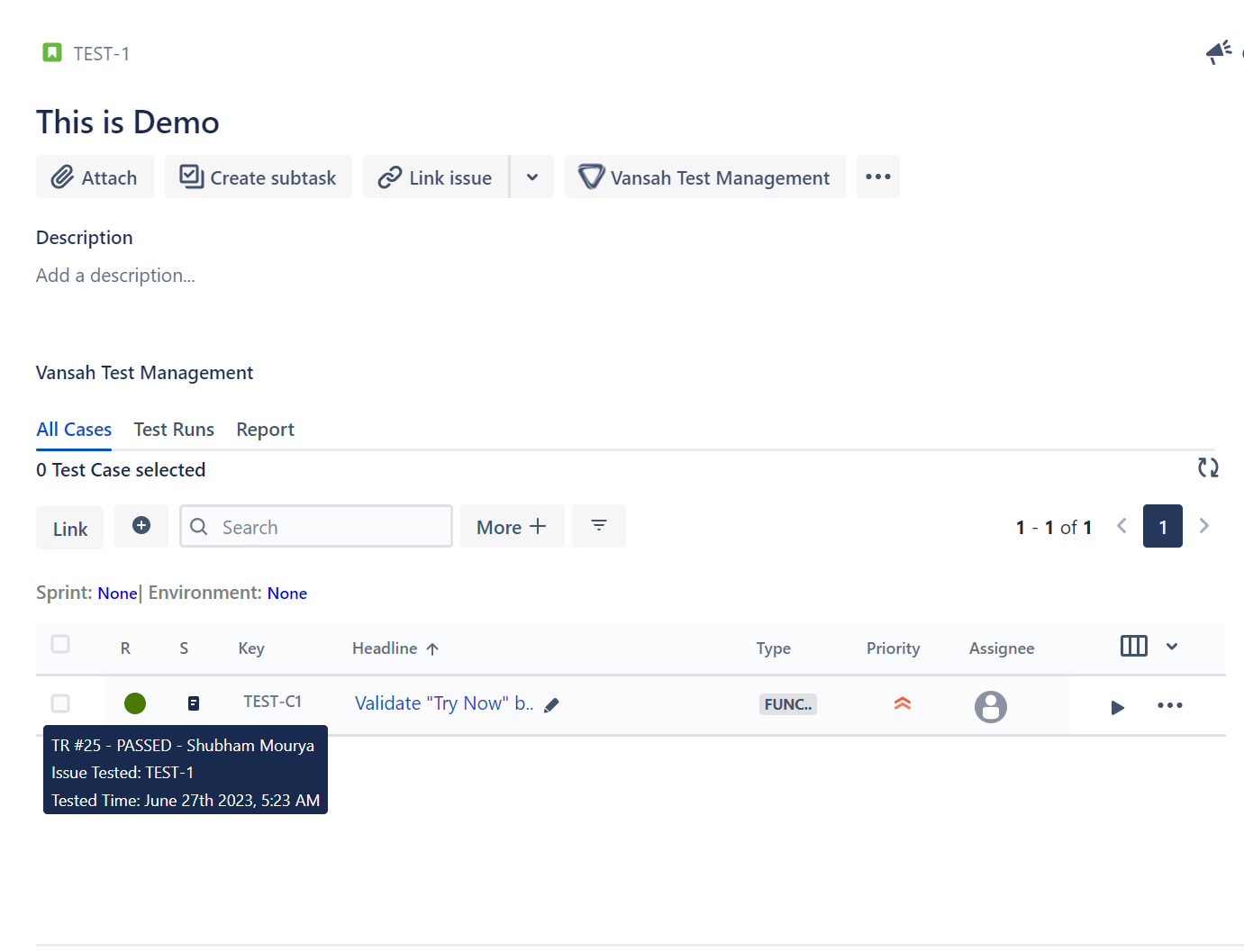
Check your Jira instance for the issue related to the run
AddQuickTestFromJiraIssue(string testCase, string result);
AddQuickTestFromTestFolders(string testCase, string result); | Description |
|---|
| To create a test run without logging the results to each of the test steps |
//To Create a Test Run Identifier
AddTestRunFromJiraIssue(string testCase);
AddTestRunFromTestFolder(string testCase);

//Add Test Log to each step
AddTestLog(string result, string comment, int testStepRow, bool sendScreenShot, IWebDriver driver);

//To Update the Test Log
UpdateTestLog(string result, string comment, bool sendScreenShot, IWebDriver driver);

//To Remove the Current Test Log
RemoveTestLog();

//To Remove the Current Test Run
RemoveTestRun();| Description |
|---|
| Follow Above functions to add Test results to each of your Test Steps of the Test Case |
//To Set the TestFolder as an Asset
SetTestFolders_Id(string testFolders_Id);

//To Set the Jira Issue as an Asset
SetJira_Issue_Key(string jira_Issue_Key);

//To Set the Sprint in the Test Run Properties
SetSprint_Name(string sprint_Name);

//To Set the Version/Release in the Test Run Properties
SetRelease_Name(string release_Name);

//To Set the Environment in the Test Run Properties
SetEnvironment_Name(string environment_Name);| Description |
|---|
| Above functions are use to declare the Asset and Test Properties |
If you have any questions, suggestions, or other requests, please don't hesitate to contact us through our support channels. You can visit our community website at https://community.vansah.com/ to raise a ticket. Additionally, you can reach us through our customer portal at https://vansahapp.atlassian.net/servicedesk/customer/portals.